





Nado TV
|
|
Android 6.0+ |
|---|---|
|
|
1.0.4 |
|
|
Entertainment |
|
|
NADO GROUP |
|
|
|
|
|
15 MB |
|
|
Free |


Nado TV Review: A Lightweight Player Built For Smooth Streaming Control
Nado TV turns simple video playback into a clean, focused, and satisfying viewing experience. This lightweight app gives every user a calm way to add your own stream, manage a playlist, and play trusted content in one place. Ready for a smoother way to watch on Android, smart TV, or any supported device?
ADD YOUR OWN STREAM LINKS AND CONTROL EVERYTHING IN ONE PLACE
Nado TV is a lightweight video player built for clarity, speed, and control. Instead of throwing confusing menus at the player, the app keeps things simple. You save video names, add HTTPS or HTTP URL links, and build a tidy list directly on your device. It feels clean, quick, and efficient from the first tap.
- Personal Stream Freedom: You can add your own stream link, name it, and save it for quick access later. This makes Nado feel like your own private navigation hub.
- One Place Viewing: Every saved file, video, or stream stays organized in one place. No messy searching, no heavy setup, just simple playback when you want it.
- Trust-Based Control: Nado TV does not host video files or third-party content. You choose the links, you manage the list, and playback depends on the host and your connection.
SMOOTH FULLSCREEN PLAYBACK MAKES WATCHING FEEL EFFORTLESS
The best feature of Nado TV is its smooth fullscreen playback. You tap a saved item, the video opens, and the controls stay out of your way. Portrait mode works well for browsing, while landscape mode gives you a wider view when the stream begins. The result feels sharp, calm, and surprisingly polished.
- Clean Viewing Flow: You feel the difference when the interface disappears and the video takes over. The app respects your screen and keeps the focus on content.
- Smart TV Comfort: Playing Nado for smart TV feels natural when you want bigger-screen viewing. It supports a smooth, fullscreen style that makes videos easier to enjoy.
- Playback Depends On Source: Some links may fail, expire, or slow down depending on the host, data connection, or URL quality. Nado gives access, but the stream source controls performance.
EASY NAVIGATION KEEPS THE APP FAST, LIGHT, AND FRIENDLY
Nado TV keeps navigation simple. The side menu gives quick access to About, Privacy Policy, Terms, Help, and Contact. Nothing feels buried. Nothing feels heavy. With a small 2.08 MB build, the app feels efficient, especially for users who want a lightweight TV APK for Android without bloated extras.
- Fast Menu Access: The side menu works like a clean control panel. You can open support, read privacy information, or check service notes without confusion.
- Lightweight Build: The app stays simple and quick, making the APK download feel practical for users who prefer a compact file. It is not packed with unnecessary noise.
- Beginner-Friendly Design: The layout is easy enough for new users and smooth enough for regular viewers. Every function feels direct, from saving a link to removing old entries.
PRIVACY, SECURITY, AND SAFETY FEEL CLEAR FROM THE START
Nado TV puts privacy and security into the experience with visible policy access and simple data handling notes. Your playlist stays on your phone or tablet. The developer explains that the app does not host copyright video files, and users choose what streams to open. That disclaimer matters because it keeps control and responsibility clear.
- Data Privacy Focus: Privacy matters inside the app and on the official website page. Users can read how information is handled before trusting the service.
- Local List Management: Your saved names and links stay on your device. That gives the player a personal, controlled feeling while keeping everyday access simple.
- Clear Disclaimer: Nado TV is a video player, not a content host or publisher. It does not own third-party streams, so users should only add links they trust.
DEMO CLIP, UPDATES, AND SUPPORT MAKE THE APP FEEL COMPLETE
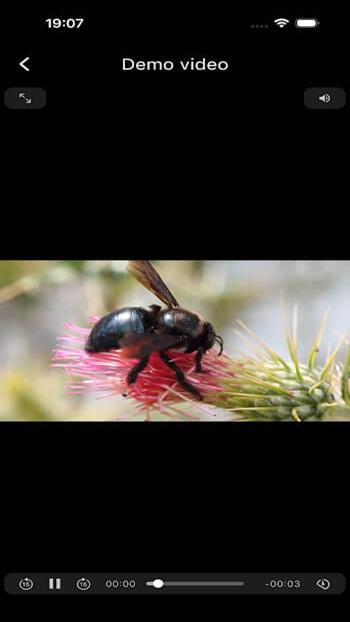
A built-in demo clip lets you test playback quality before adding your own stream links. That small feature makes the app more welcoming. You can check fullscreen behavior, controls, and video flow first. The latest version may also include product update support, push notifications when enabled, and better stability across Android devices.
- Try Before You Add: The demo video helps you understand how playback feels. It is a quick way to test Nado without searching for your own URL.
- Helpful Support Access: Help, Contact, Terms, and Privacy are easy to reach. If something breaks, you can report an issue or look for official support.
- Download Flexibility: Some users may search for Nado TV on Google Play, an official website, or an APK download page. Always use safe sources, check screenshots, and avoid unknown download APK links.
Final Verdict
Nado TV is simple, smooth, and focused. It gives Android users a lightweight app to manage streams, play videos, and control their own viewing list without clutter. For anyone who wants clean playback, easy navigation, and a calm video player experience, Nado is worth a look.